 NAS Hub
Get the code
Every app on your home server, one tap away.
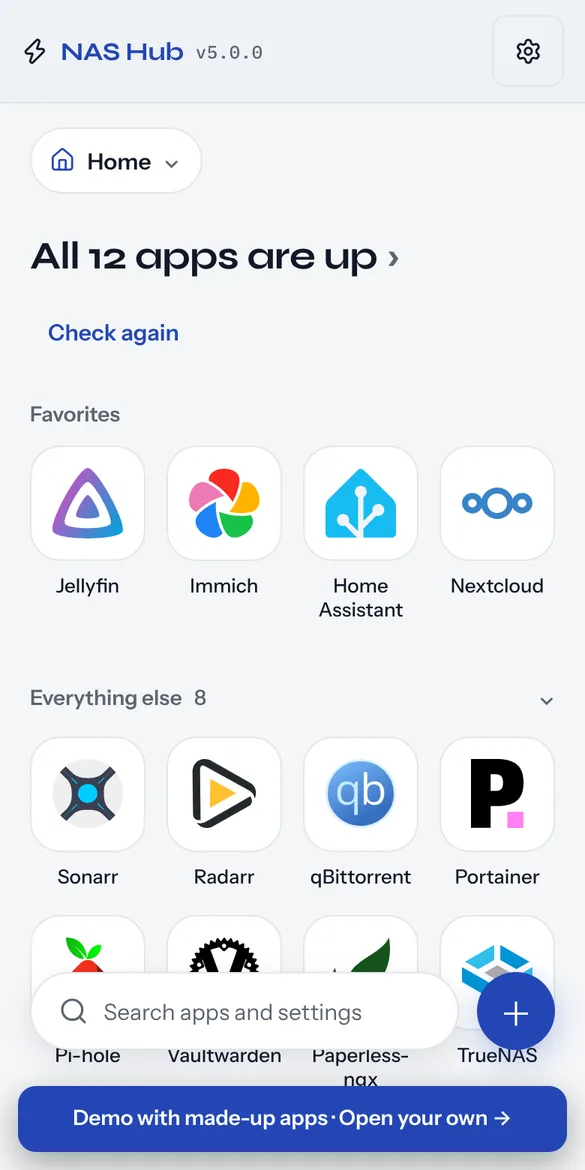
NAS Hub is a home screen for Jellyfin, Immich, Home Assistant and everything else you host. It is made for phones, it shows what is up and what is down, and your family can use it without knowing a single port number.
- Free and open source
- No account
- Your setup stays on your device
What it is
One web page that installs to your home screen like an app. Add your apps once, then open any of them with a tap.
See what is running
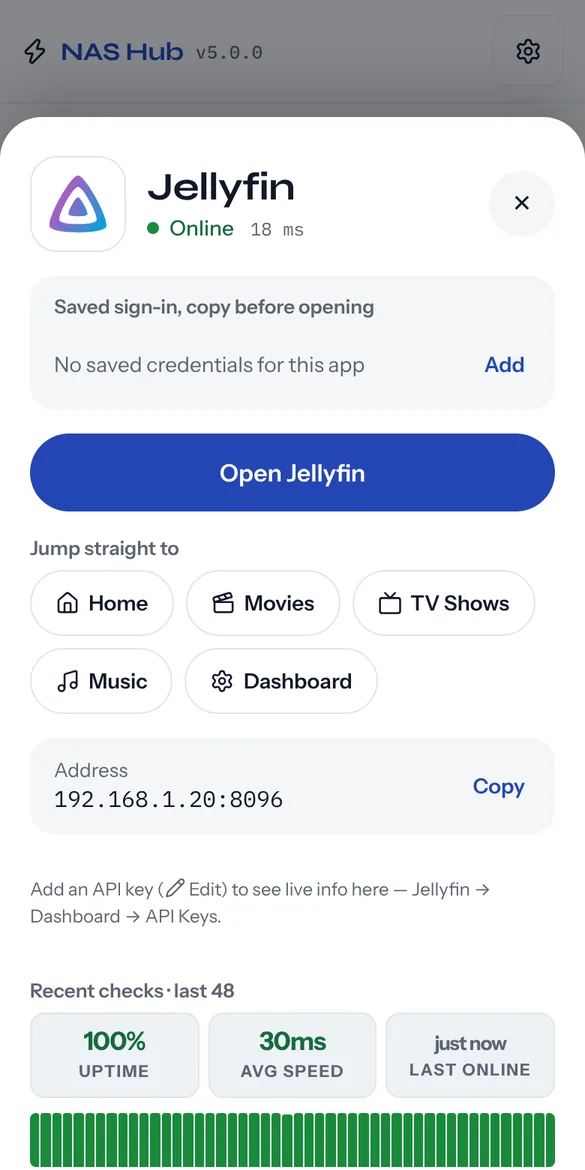
Each tile shows whether its app answers. Open one for its recent history and a 24 hour uptime view.
Works at home and away
The same tile opens the local address on your home network and the Tailscale address when you are out.
Easy for the whole house
Kid and guest mode shows only the apps you choose. Optional Group Sync keeps every phone on the same list.
Quick to fill
Pick from a catalog with real app logos, import from TrueNAS or Portainer, or scan your network.
Private by design
Addresses and passwords live in your own browser. There is no account and this page has no tracking.
Everything included
There is no paid version. The code is public under the MIT license, so you can read it, change it and host it yourself.
Install it on your own server
You can simply use the hosted app above. Hosting it yourself keeps working when the internet is down, and lets it check apps on plain http:// addresses.
Docker
docker run -d --name nashub \
  --restart unless-stopped \
-p 8765:80 nashubapp/nashub:latestThen open http://YOUR-SERVER:8765 on your phone and add it to your home screen.
TrueNAS
- Apps, Discover Apps, Custom App.
- Image
nashubapp/nashub, taglatest. - Add a port: container
80, host8765. - Install, then open
http://YOUR-NAS:8765.
Plain files
Download the zip from the releases page, unzip it, and serve the folder with any web server. Nothing needs to be built.
Get the code
NAS Hub is one HTML file with no build step. The repo has the app, the sync server, the tests, and a release note for every version. It is maintained as time allows.